
Personal Access Map:
a Vivid INstrument
A ten minute map of what AI can reach at your organization.

Personal Access Map:
a Vivid INstrument
A ten minute map of what AI can reach at your organization.
OPERATIONS WITH A FUNDRAISER’S EYE
Personal Access Map
HOW IT WORKS
You answer a few questions about what your organization allows. Then you pick your role, the tools you use in a normal week, and how much of your real work shows up in each one. Answer for how things actually work at your organization, not how they are written down somewhere.
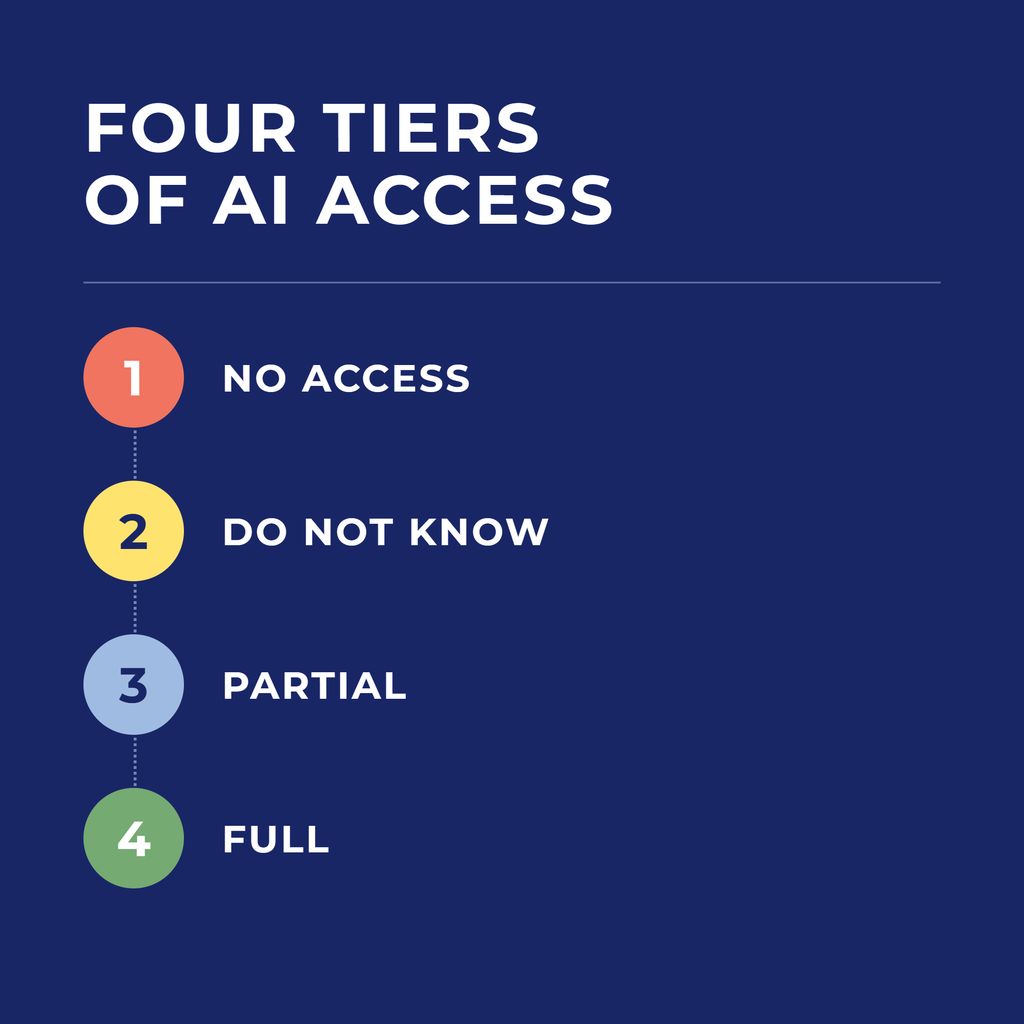
No access. Your organization has said no, for now. That is a real answer. You can still learn the method with made-up examples, and you can bring a specific ask to the people who decide.
Do not know. Nobody has said yes and nobody has said no. Until someone does, anything with a name in it stays out, and your first job is finding out who owns the answer.
Partial. Public tools are allowed and sensitive data is not. You can work with anything already public, stripped exports, and pseudonym lists. Most trouble at this tier comes from not knowing exactly where that line sits.
Full. You have licensed tools and permission to use them. Connected tools start on look only, and nothing on the never travels list goes in.
At the end you get a packet built from your answers, for your tier, your role, and the tools you actually use. You can download it or print it.
HOW IT WORKS
You answer a few questions about what your organization allows. Then you pick your role, the tools you use in a normal week, and how much of your real work shows up in each one. Answer for how things actually work at your organization, not how they are written down somewhere.
No access. Your organization has said no, for now. That is a real answer. You can still learn the method with made-up examples, and you can bring a specific ask to the people who decide.
Do not know. Nobody has said yes and nobody has said no. Until someone does, anything with a name in it stays out, and your first job is finding out who owns the answer.
Partial. Public tools are allowed and sensitive data is not. You can work with anything already public, stripped exports, and pseudonym lists. Most trouble at this tier comes from not knowing exactly where that line sits.
Full. You have licensed tools and permission to use them. Connected tools start on look only, and nothing on the never travels list goes in.
At the end you get a packet built from your answers, for your tier, your role, and the tools you actually use. You can print it or save it as a PDF.
What you leave with.
A cover and three sections. Nothing you enter is saved or sent anywhere, and it clears when you leave the page.
- Your tier, what you can work with today, and a place to start in your role.
- A checklist for every tool you picked, with what is usually safe and what to keep out.
- A section to hand to whoever makes the call, with the questions to ask, the approvals to request, and what a starter policy covers.
Know what AI can reach at your organization.
Before you connect, upload, or paste anything, you need to know two things. What your organization allows, and what is actually sitting inside the tools you use every day.
THE Next Step.
Most of us are already using AI somewhere. Very few of us have been told what is okay, and that is how a donor list ends up in a free account. Run the map, take What to bring to the conversation to whoever makes the call.

Take the workbook with you.
The Put AI to Work workbook is the paper version of this map, plus everything around it. It covers the words we are using, what is safe to put in and what is not, the pseudonym method, building your first project, what to do at your desk, and the one thing you will hand over this Friday.